New XBRLAnalyst!Now, Financial Statements are seamlessly linked to Excel.
Searching and auditing financial data of public companies in Excel cannot be easier. |
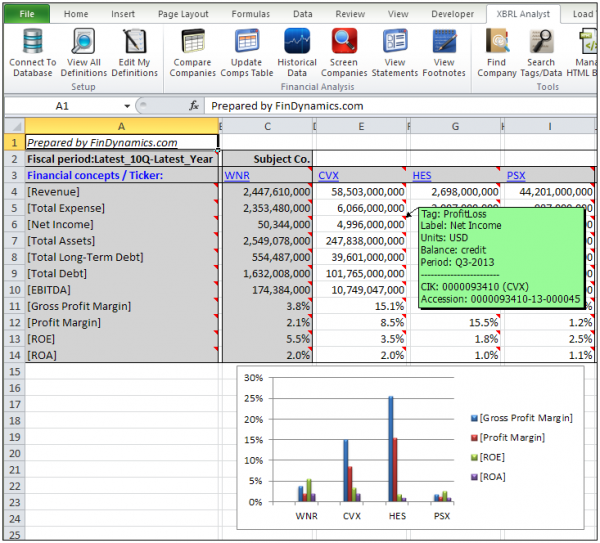
New features:- Cells are linked to Financial Statements. Simply select the cell and press View Statements.
- Cell annotation is enhanced with colors and details: Label from financial statement, XBRL tag, Period, CIK code, Accession number. Green color – reported on financial statement, Turquoise color – value reported in footnotes.
- Cells are also linked to Tag list. Select the cell and press Search Tags. Double click the Tag and review its value including dimensional information. Applies to TextBlocks too.
- View Statement facilitates the use of XBRLFact function. Just select any value in the Financial Statement and click Paste Formula.
- Easily import and share new user-defined financial ratios. Go to Edit My Definitionsand selected Import New or Export.
|
|
|




No Comments